TF2 Model Builder
There are two main actions that can be take using the TF2 Model Builder code base. The first is (hyperparameter) tuning and the second is training. There are 3 models available for both training and tuning, namely U-Net, U-Net (ResNet34), and W-Net.
python -m src.pipelines.tensorflow_v2.__main__ -i
Running this command will produce an option to either using the tuning or training action. Each action has it’s own input prompt. Once an the input prompt is complete, there will be an option to save the results as a json. The code base can be run using this json in the future, where the json file will contain the run parameters. The input prompt and json templates for each action are provided in the subsequent sections.
Tuning
Input Prompt
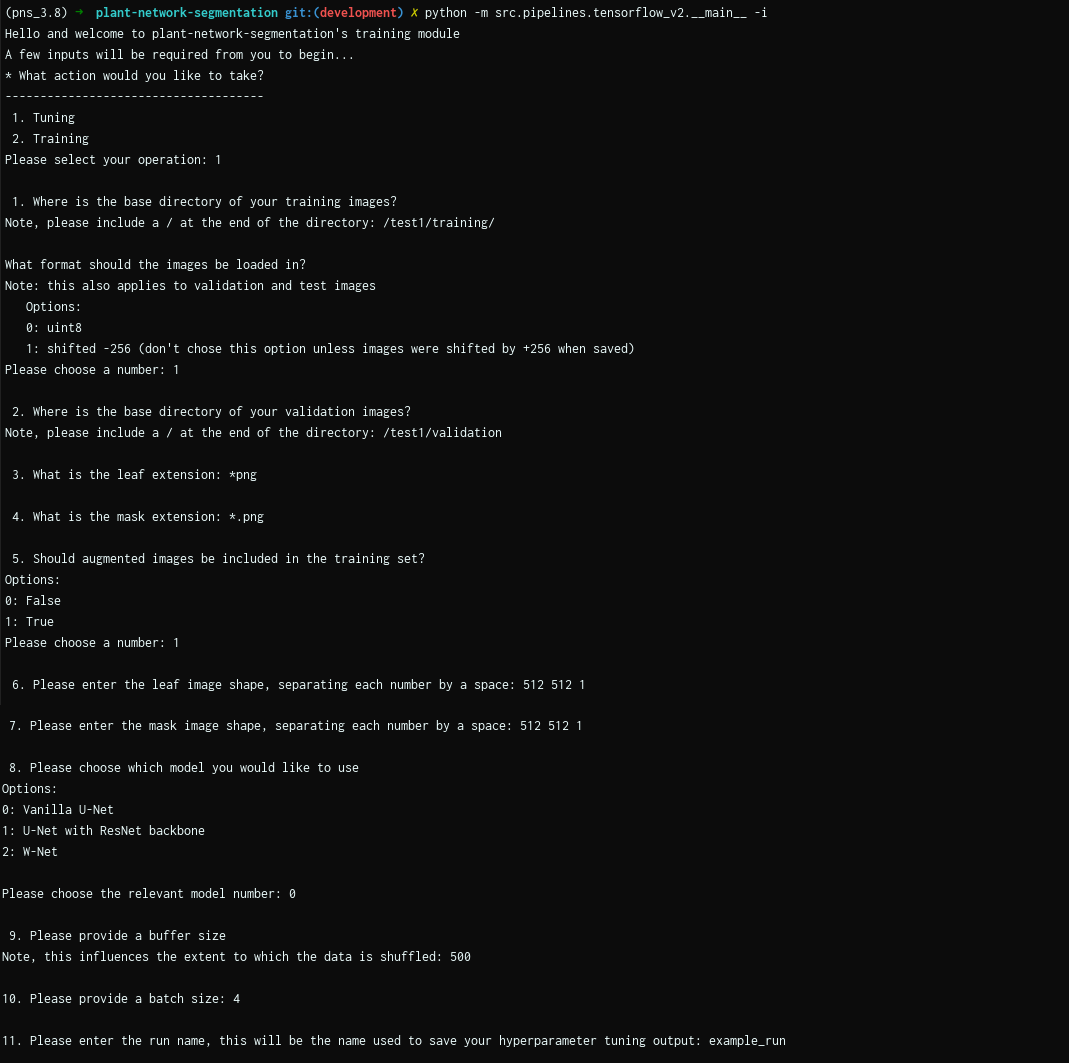
JSON template
If a json has been saved after going through the input prompt, it can be used by running this command:
python -m src.__main__ -j <input_prompt.json>
{
  "which": "tuning",
  "train_base_dir": "/test1/training/",
  "transform_uint8": false,
  "shift_256": true,
  "val_base_dir": "/test1/validation",
  "leaf_ext": "*png",
  "mask_ext": "*.png",
  "incl_aug": true,
  "leaf_shape": [
    512,
    512,
    1
  ],
  "mask_shape": [
    512,
    512,
    1
  ],
  "model_choice": 0,
  "buffer_size": 500,
  "batch_size": 4,
  "run_name": "example_run"
}
Training
Input Prompt
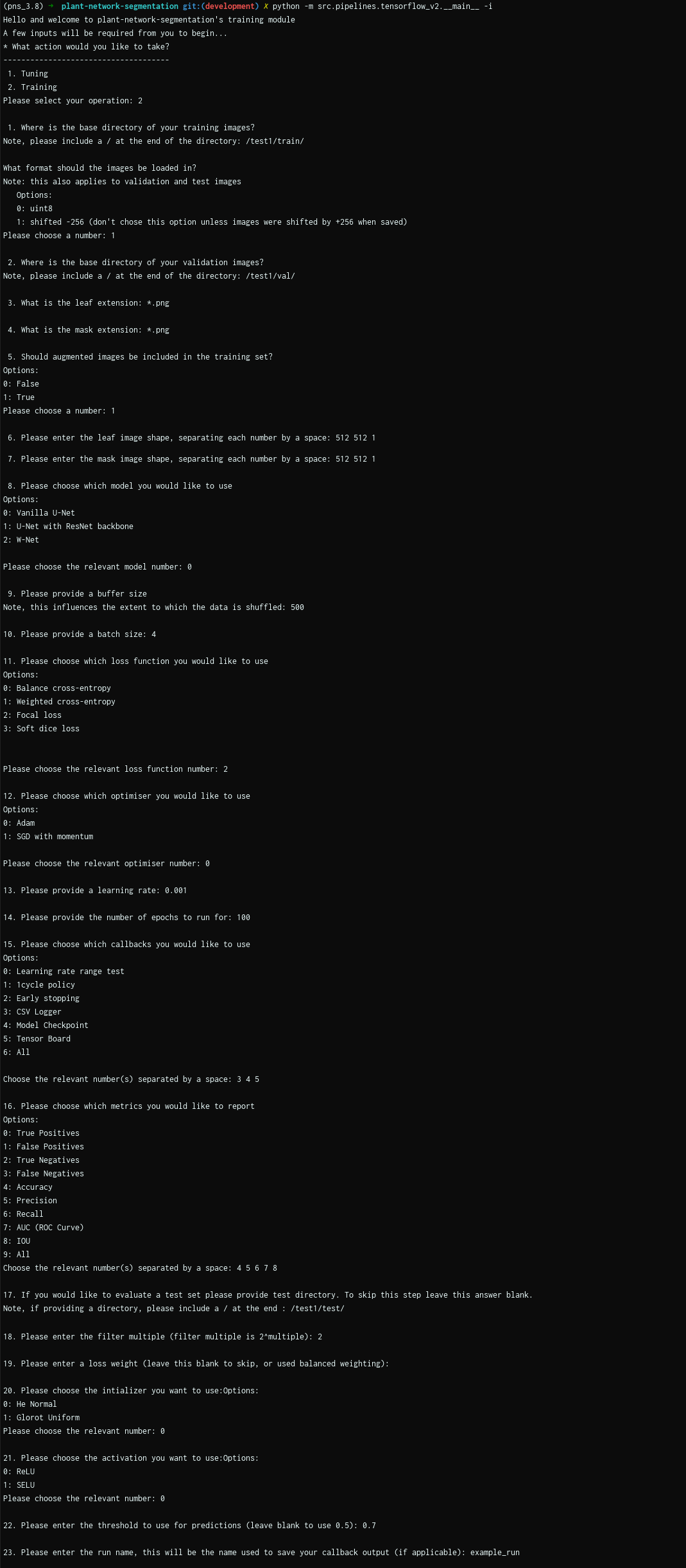
JSON template
{
  "which": "training",
  "train_base_dir": "/test1/train/",
  "transform_uint8": false,
  "shift_256": true,
  "val_base_dir": "/test1/val/",
  "leaf_ext": "*.png",
  "mask_ext": "*.png",
  "incl_aug": true,
  "leaf_shape": [
    512,
    512,
    1
  ],
  "mask_shape": [
    512,
    512,
    1
  ],
  "model_choice": 0,
  "buffer_size": 500,
  "batch_size": 4,
  "loss_choice": 2,
  "opt_choice": 0,
  "lr": 0.001,
  "epochs": 100,
  "callback_choices": [
    3,
    4,
    5
  ],
  "metric_choices": [
    4,
    5,
    6,
    7,
    8
  ],
  "test_dir": "/test1/test/",
  "filters": 2,
  "loss_weight": null,
  "initializer": "glorot_uniform",
  "activation": "selu",
  "threshold": 0.7,
  "run_name": "example_run"
}